Command: ZXBL
Command: ZXBL
Block data is exported to a file where each row contains the contents of desired Attributes and the coordinates of the Blocks you select.
The process is the same in the various versions of the command, and the only difference is in the suggested Blocks that are selected, the Attributes that are recorded, and the file that is saved and suggested in each new use per version.
Export File Definition
You define the export file (the path you choose is saved for later use of the command):
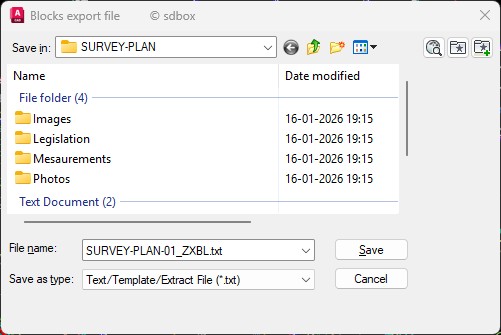
Export file selection dialog
You can define the export file as Excel or another file type of your choice.
Block and Attribute Definition
You define the names of the Blocks that will participate and the Attributes (and in which order) that will be recorded in the file:
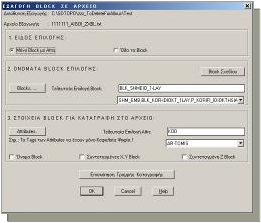
On-Screen Selection with Filters
You select the desired Blocks on the drawing screen based on filters:
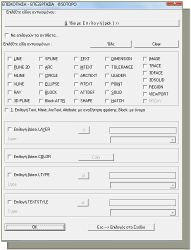
After selecting the Blocks, the command asks if you want to open the file.
File Output Example
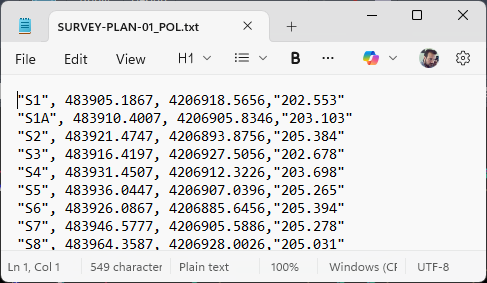
Exported file example
Note:
The Attribute values that have been recorded are displayed with quotation marks so you can distinguish them from the values recorded based on Block properties (coordinates, Z, Block Name).
When an Attribute has no value, then only the quotation marks "" are recorded in the corresponding position in the file. You can replace them with any other value you wish overall.
Generally, you can remove the quotation marks overall or the spaces written between fields.
Related Commands
ZXBL, ZXB1-4, ZXPOL, ZXTR, ZXRP, ZXTAX, ZXID
