General Drawing Command
SDBox Design Software - Smart object creation with automatic property inheritance in CAD drawings
General Drawing Command ZZ
Select any existing object from the Drawing and create a new one with the same properties automatically.
The ZZ command is the first command created for SDBOX software and was designed for quick switching between drawing tasks while maintaining desired properties.
How It Works
Depending on the object you select (Circle, Line, Pline, Text, Block, Hatch, etc.), the Layer, Color, Linetype, size and other properties are automatically set, and the corresponding AutoCAD command that created the original object is executed.
Once you select the original object, all required properties (Layer, Color, Linetype, size, etc.) are automatically defined, then you proceed normally with the suggested command which functions like the corresponding AutoCAD command.
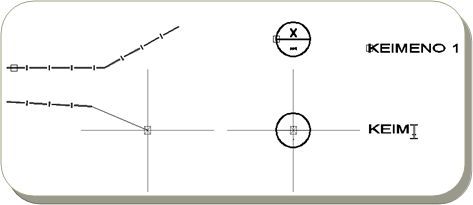
ZZ command interface and object selection
Additional Information:
The ZZ command significantly saves time in defining properties for new objects. Instead of manually setting each property or using match properties commands, ZZ automatically inherits all characteristics from the selected reference object.
Examples
Example 1: Creating New Text
To create new Text, what you would normally need to do is copy existing text and change its content. With ZZ, you select the original Text and a point on the screen where you directly write the new text, while the layer, color, height, textstyle, etc. are set automatically.
Example 2: Drawing Lines with Specific Properties
To draw a line with specific properties, you would either set all properties from scratch or draw the line and then match properties with an existing one. With ZZ, you select the original line and draw the new one directly, while layer, color, width, ltscale, etc. are set automatically.
The same applies to all other objects in the drawing.
Visual Guide:
When using ZZ, you'll see visual indicators showing which object properties are being inherited. The command maintains consistency throughout your drawing session.
Notes & Tips
Notes:
The ZZ command is the first command designed for SDBOX software and was created to enable quick switching between drawing tasks while maintaining desired properties.
In all cases, it saves significant time in defining properties for new objects.
Command Usage:
It is recommended to use ZZ throughout the entire drawing process. Frequent use of this command, in addition to the speed it provides, significantly contributes to having homogeneous objects in the Drawing (same layer, color, size, linetype, ltscale, etc.) and prevents remnants from copy commands that were not deleted.
Tips:
Regular use of ZZ command beyond the speed it provides significantly contributes to having consistent objects in the Drawing (same layer, color, size, linetype, ltscale, etc.) and prevents leftover objects from copy operations that weren't properly cleaned up.
For maximum efficiency, keep a variety of sample objects with different properties in a separate layer to quickly switch between different drawing styles.